How Nisenta works
A walkthrough of the customer area - for anyone who wants to know what the platform actually does before getting started.
Nisenta brings NIS2, GDPR and - as an add-on - CRA into one platform. Instead of bringing in a consultant for every new question, you build and maintain compliance yourselves, with the structure, reminders and documentation that hold up under supervision.
The guide below walks through the customer area step by step, the way one of your employees meets it after signing in. Every image is a real view from the system.
Getting started
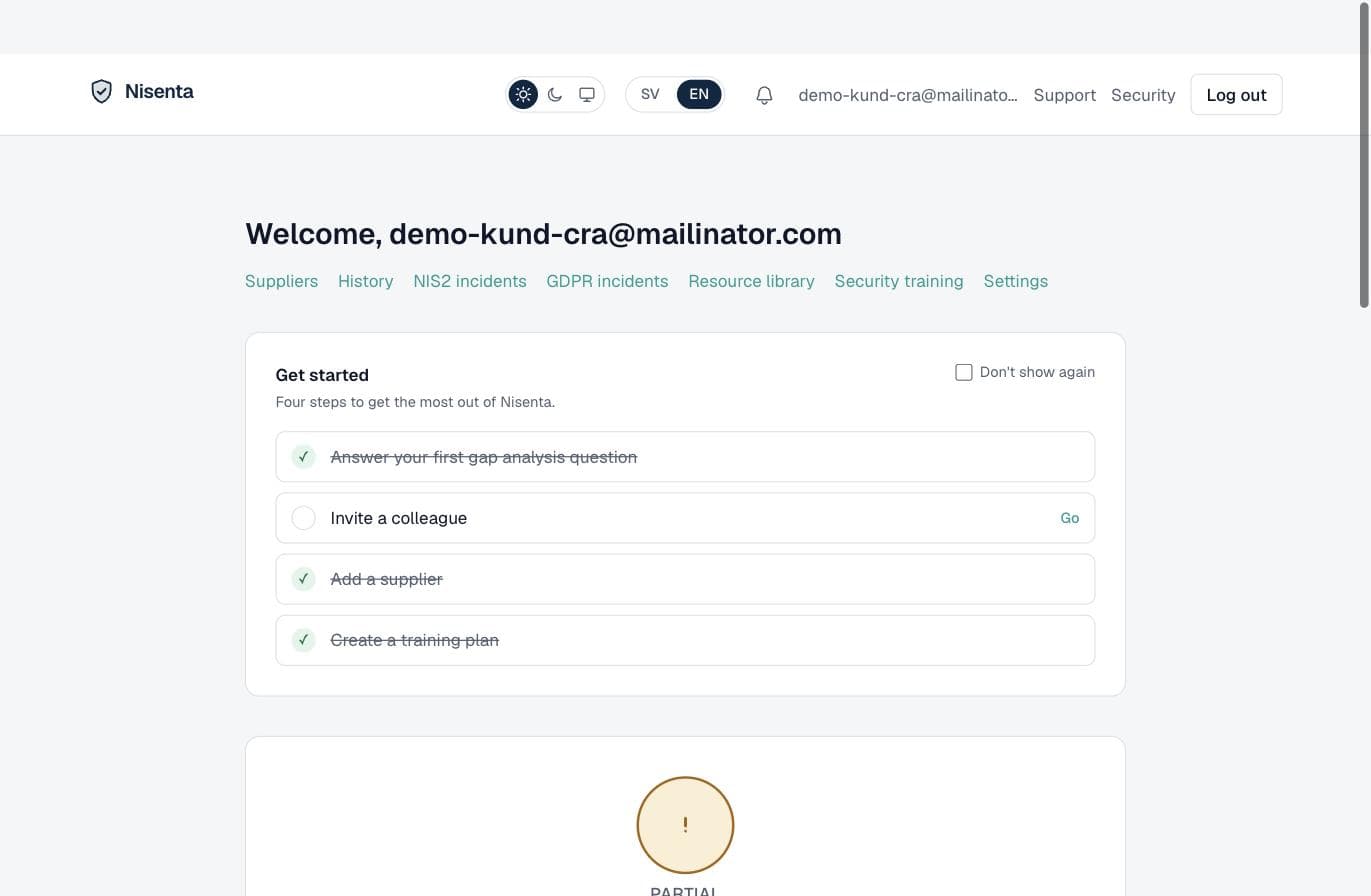
After registration you choose which frameworks apply to you - NIS2, GDPR, and CRA as an add-on. A four-step getting-started checklist leads you in: answer your first gap-analysis question, invite a colleague, add a supplier and create a training plan. Your overall compliance level is always shown at the top.
Your overview
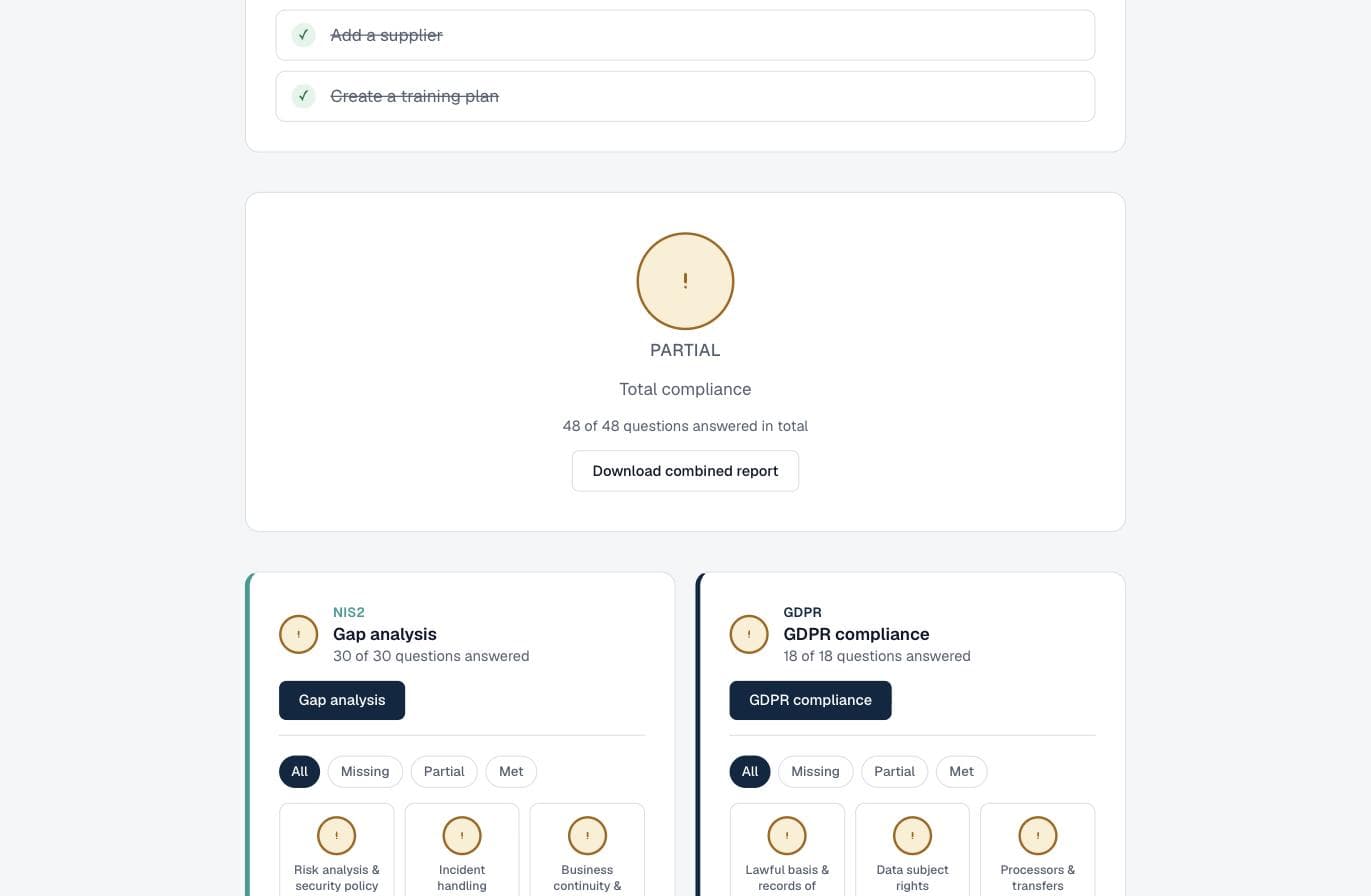
The overview shows status per framework side by side: how many questions are answered, how far you have come and which areas need work. NIS2 has ten security areas, GDPR six. From here management drills into the detail - or downloads a combined report.
Gap analysis for NIS2
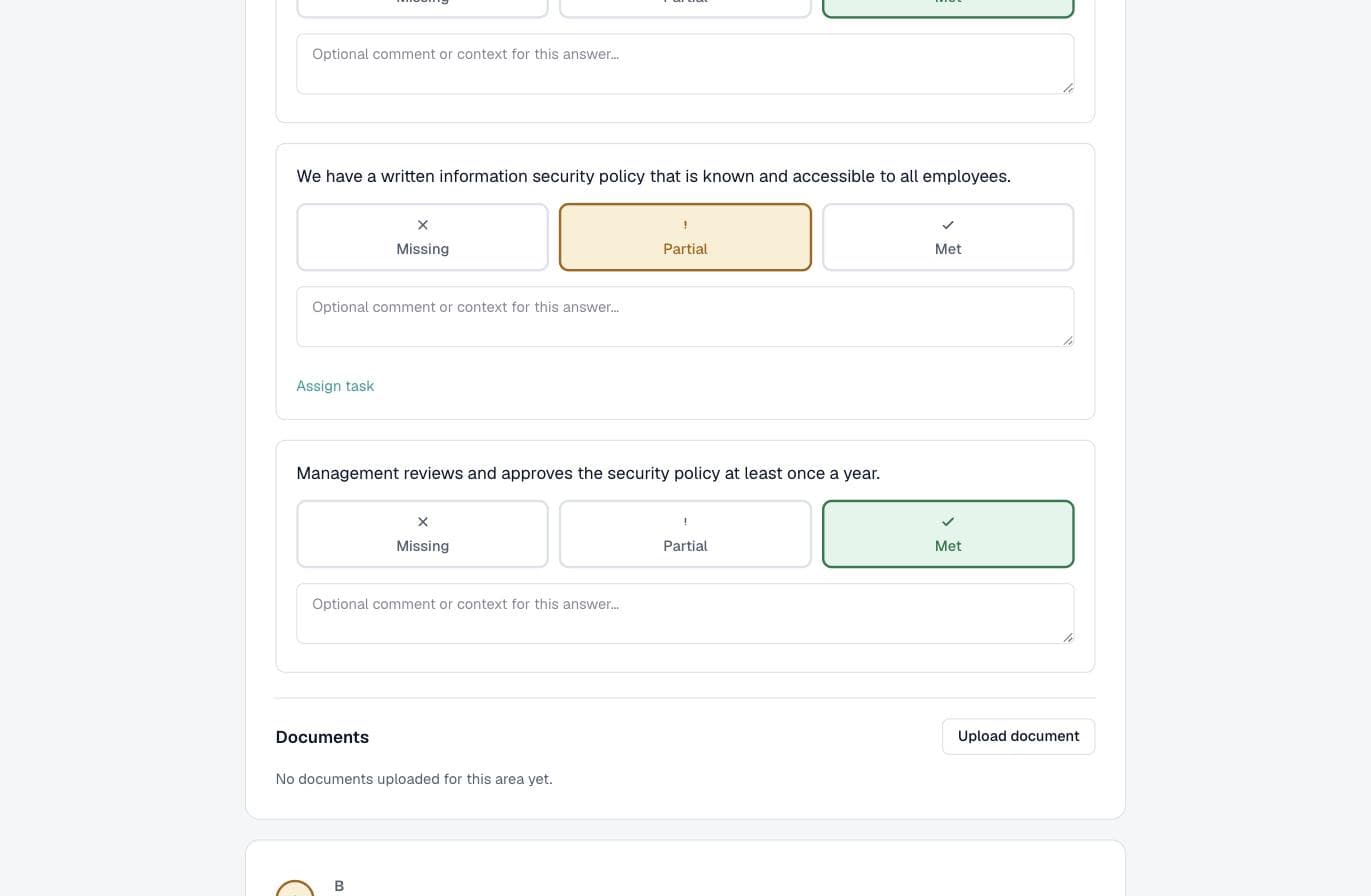
The gap analysis is the core of the NIS2 work: concrete questions within each of the ten areas in Article 21, which you answer with Missing, Partial or Met. For every question you can add a comment, upload evidence and assign a task to the right person internally. Save and continue whenever you like.
GDPR compliance
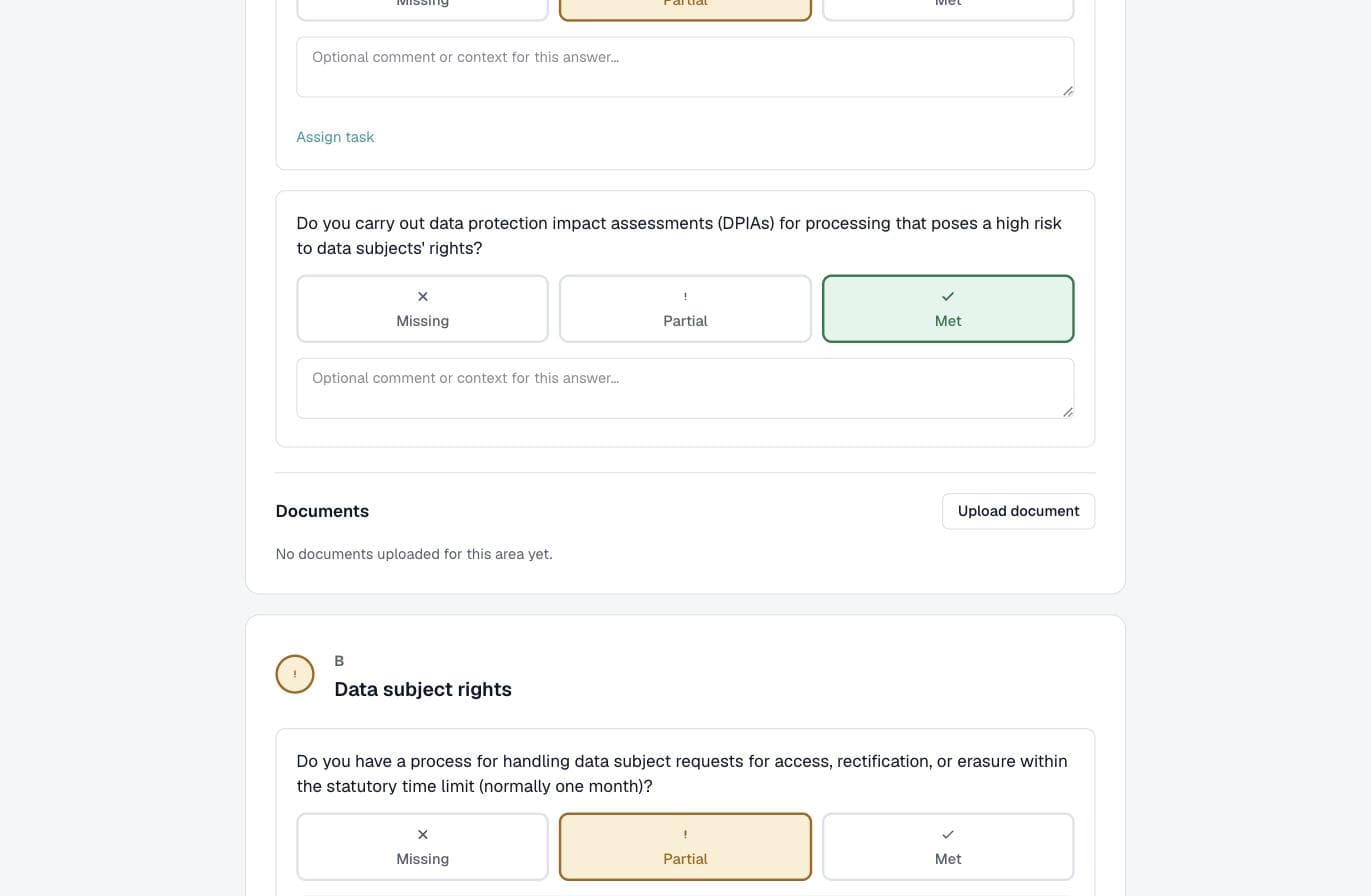
The GDPR part works the same way, across six areas - from legal basis and records of processing to data-subject rights and breach handling. Same method: answer, comment, document and assign responsibility. You decide whether GDPR is shown at all.
CRA for products
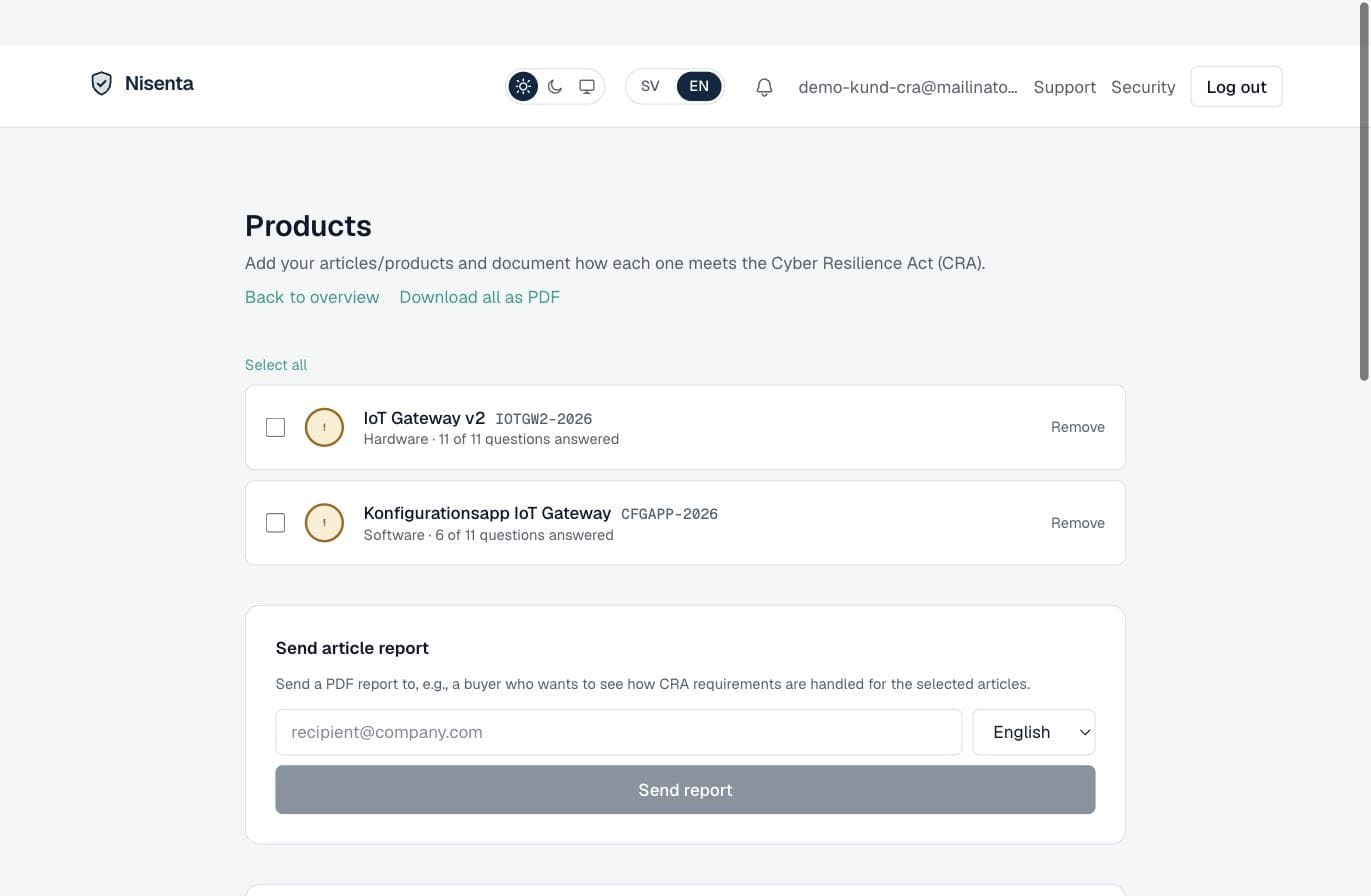
If you make or sell products with digital elements, the CRA module (add-on) runs a gap analysis per item, with a risk classification under the CRA. A finished PDF report can be sent straight to a buyer who wants to see how the requirements are handled. Items can be imported from your product register or ERP via CSV.
The supply chain
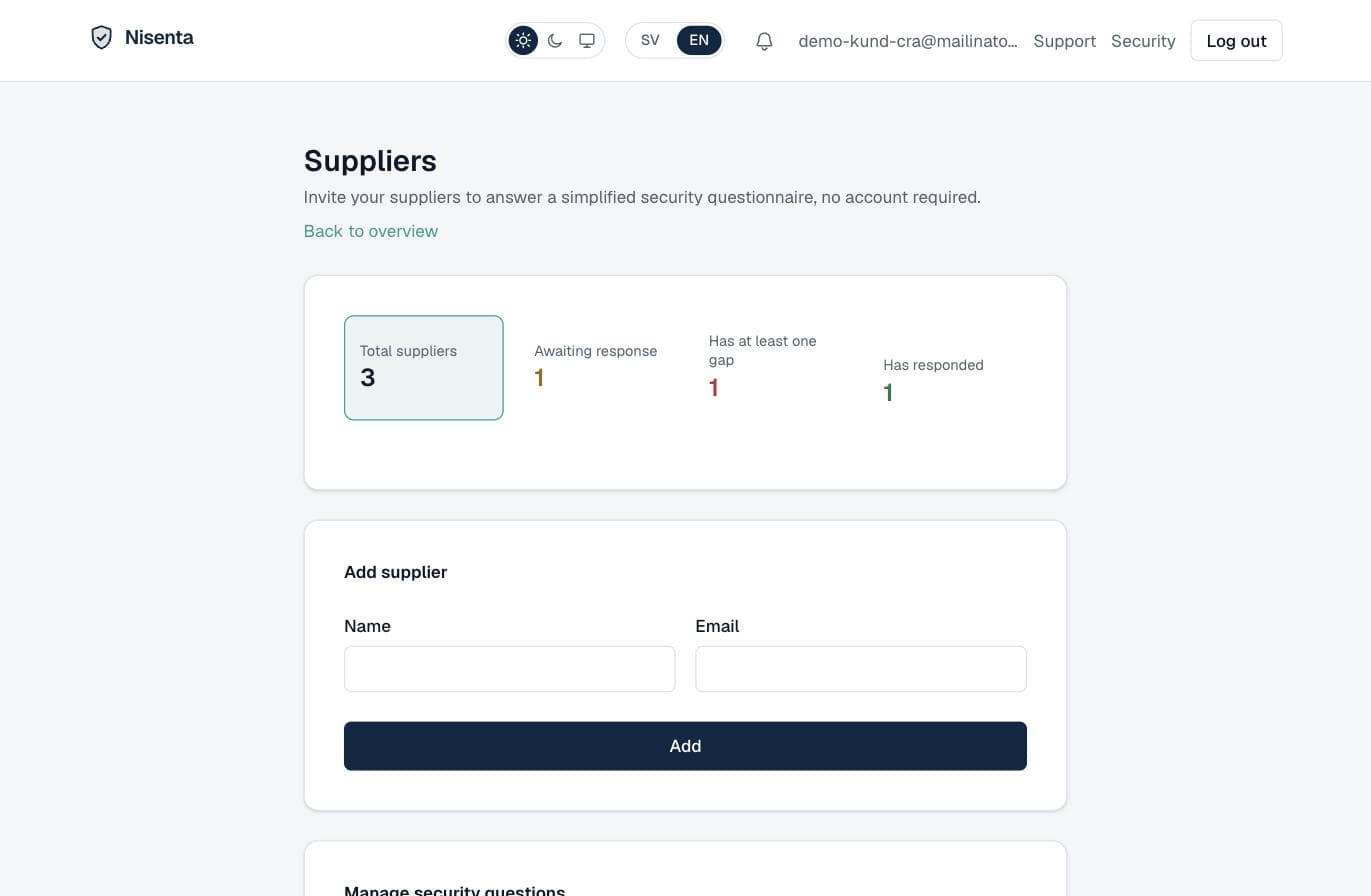
NIS2 requires you to keep track of your suppliers' security. In Nisenta you invite them to answer a short security questionnaire - without needing an account. You see at a glance who has answered, who has a gap and who you are still waiting on.
Incident handling
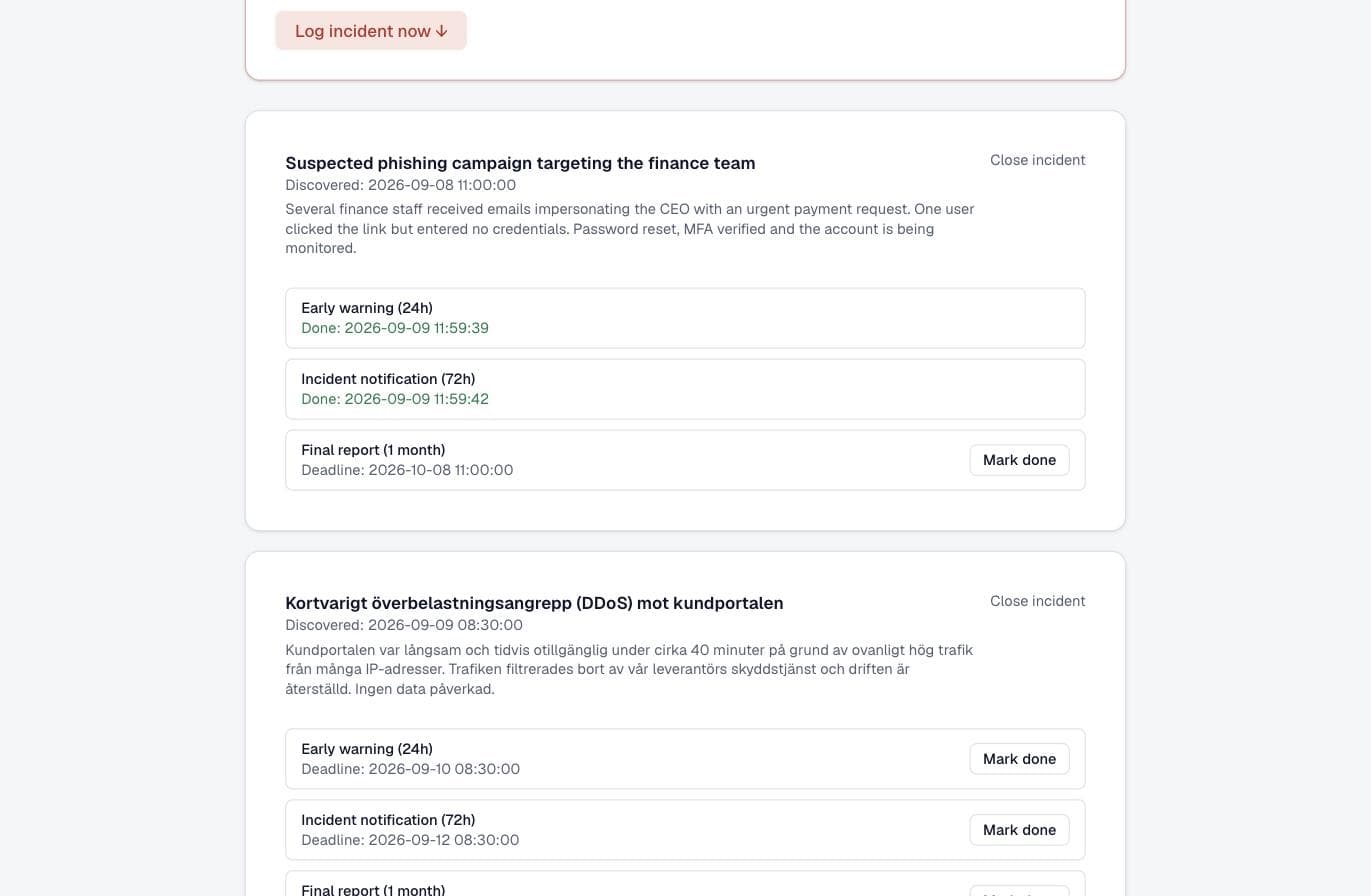
When an incident occurs you log it, and Nisenta keeps track of the three NIS2 deadlines: early warning within 24 hours, incident notification within 72 hours and a final report within one month. Personal-data breaches are logged separately with GDPR's 72-hour deadline to the supervisory authority. The system does not file the report for you - but you never lose a deadline, and everything is documented afterwards.
Security training
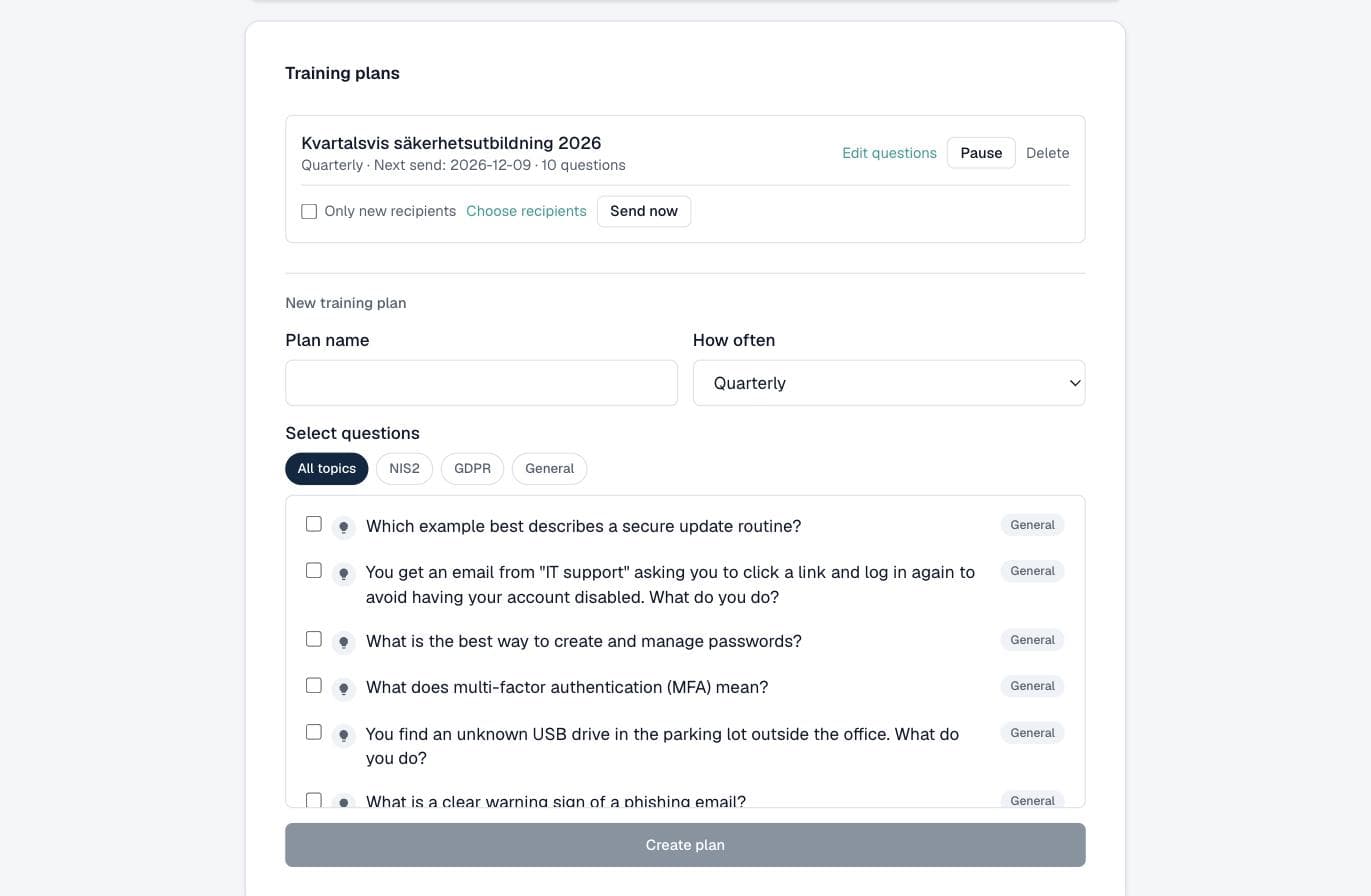
Build a training plan and send recurring security quizzes to staff - with ready-made questions on NIS2, GDPR and general cyber hygiene, or your own. You upload recipients via CSV and follow the results: who has completed and the average score. Training records that hold up under supervision.
Follow-up over time
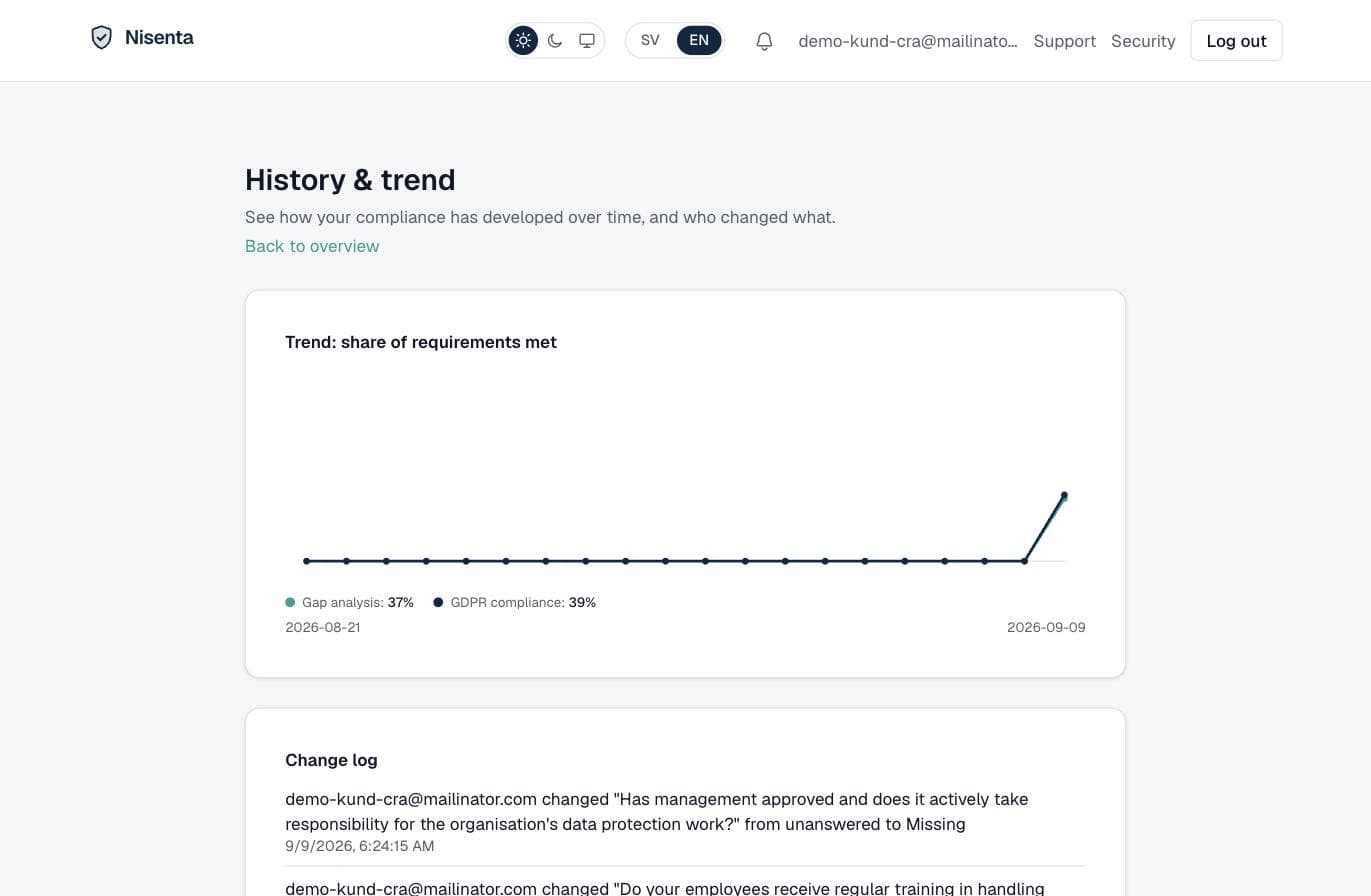
NIS2 is not a one-off project. The trend line shows how your compliance develops, the change log shows who changed what and when, and a recurring review reminds you to keep the answers current. This is the documented history a supervisory authority wants to see.
Proving compliance
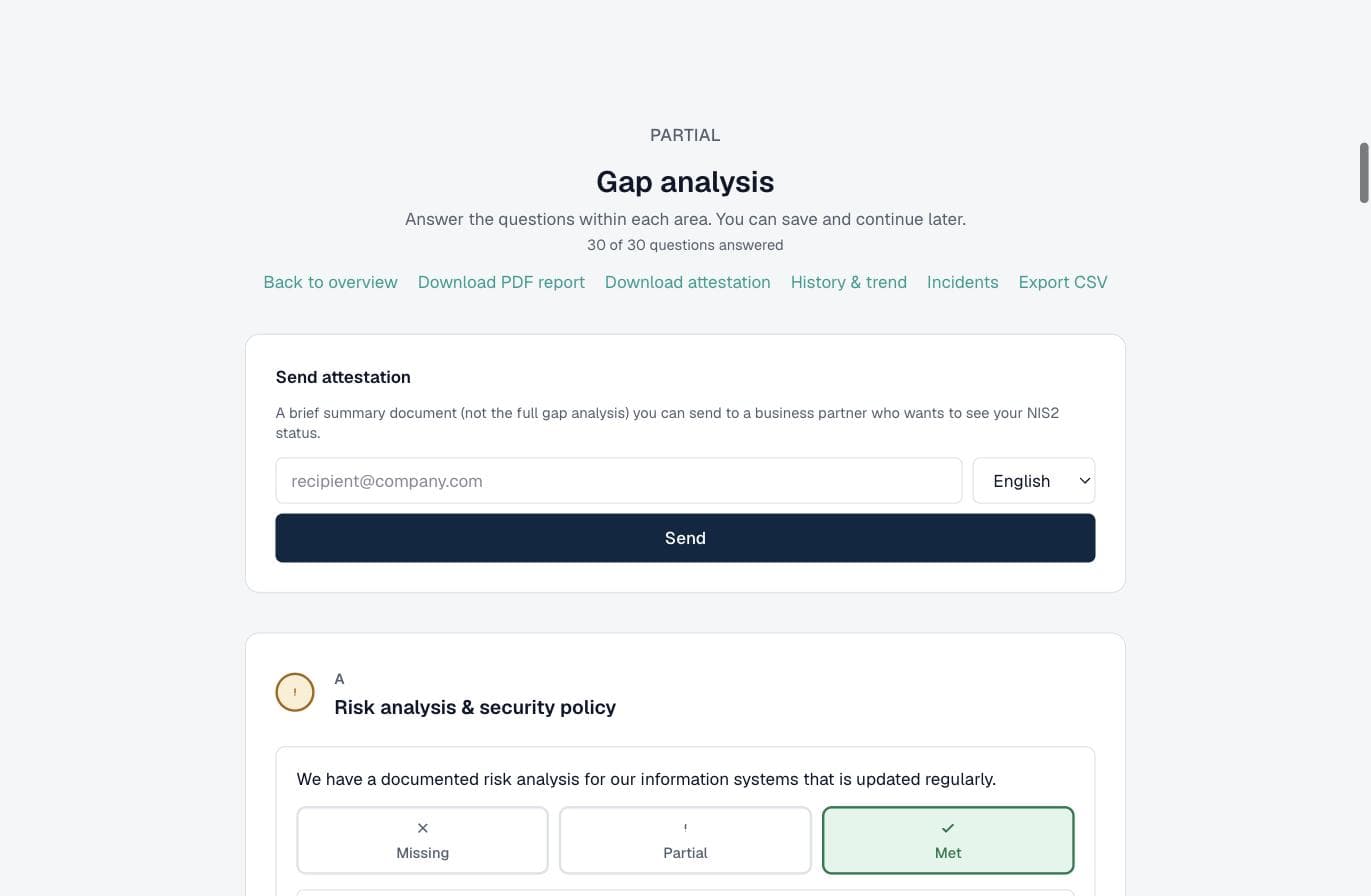
All the work can be shown. Download a PDF report or an attestation certificate for the whole gap analysis, export to CSV, or send a short summary document - in Swedish or English - to a business partner, customer or your board who wants to see your NIS2 status.
Settings and team
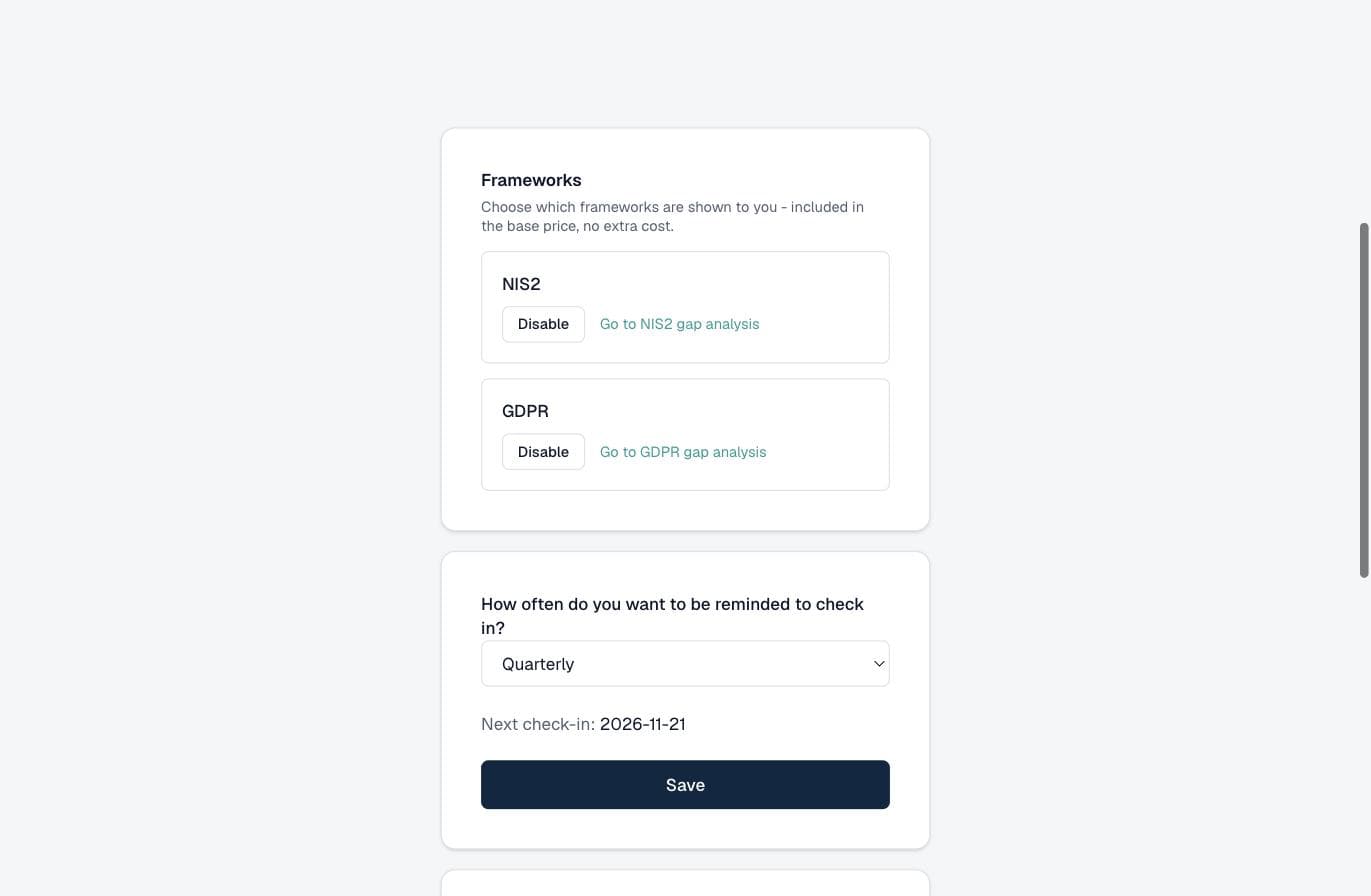
Under Settings you choose frameworks (included in the base price), how often you want to be reminded to review, and whether the CRA module is on. You invite colleagues to the team so responsibility can be shared - and assigned - internally.
Want to see it with your own organisation?
Getting started as a customer takes a few minutes. You choose frameworks, answer at your own pace and build compliance step by step - without consultancy fees.
This guide describes Nisenta's features and is not legal advice. Which requirements apply to your organisation depends on sector, size and your own assessment.